得物怎么关闭其他人查看我的喜欢
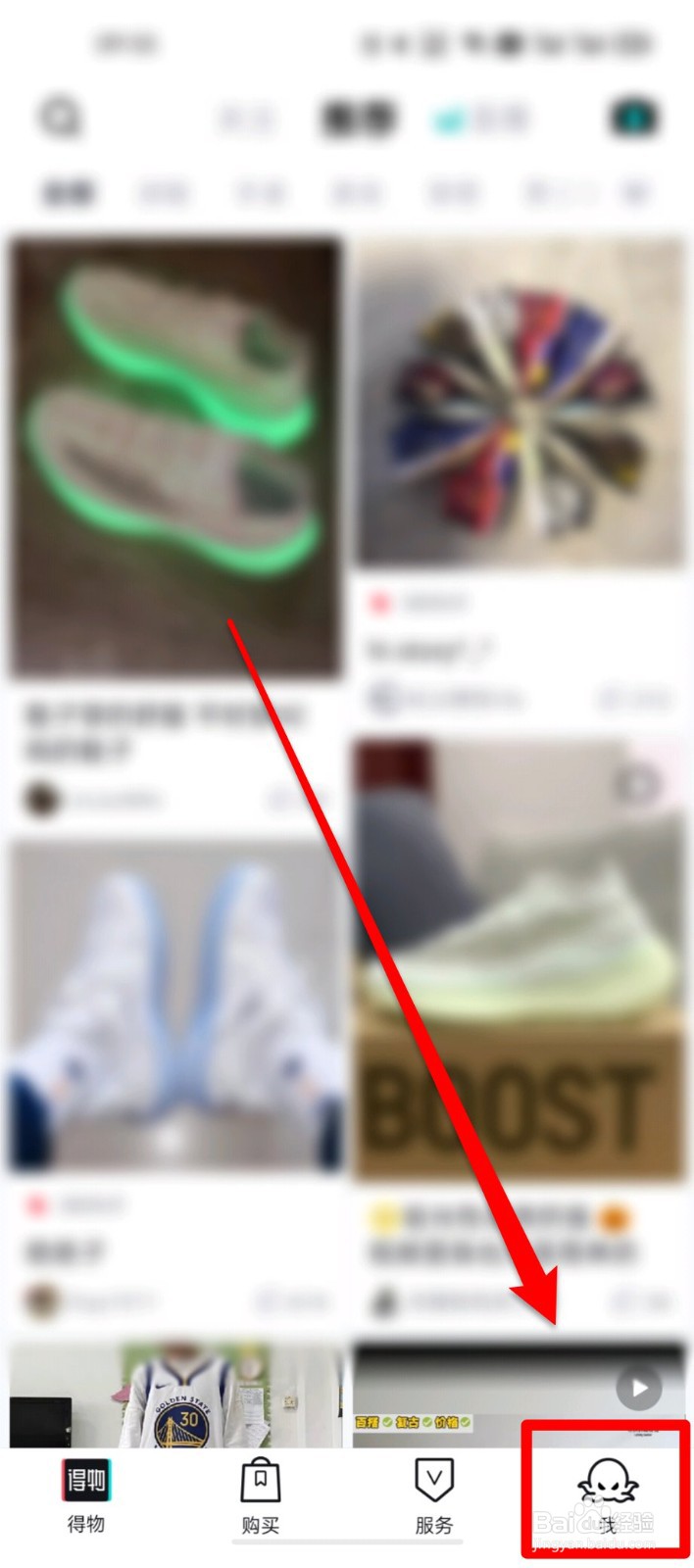
1、ste,1,点击“我”。如图所示:
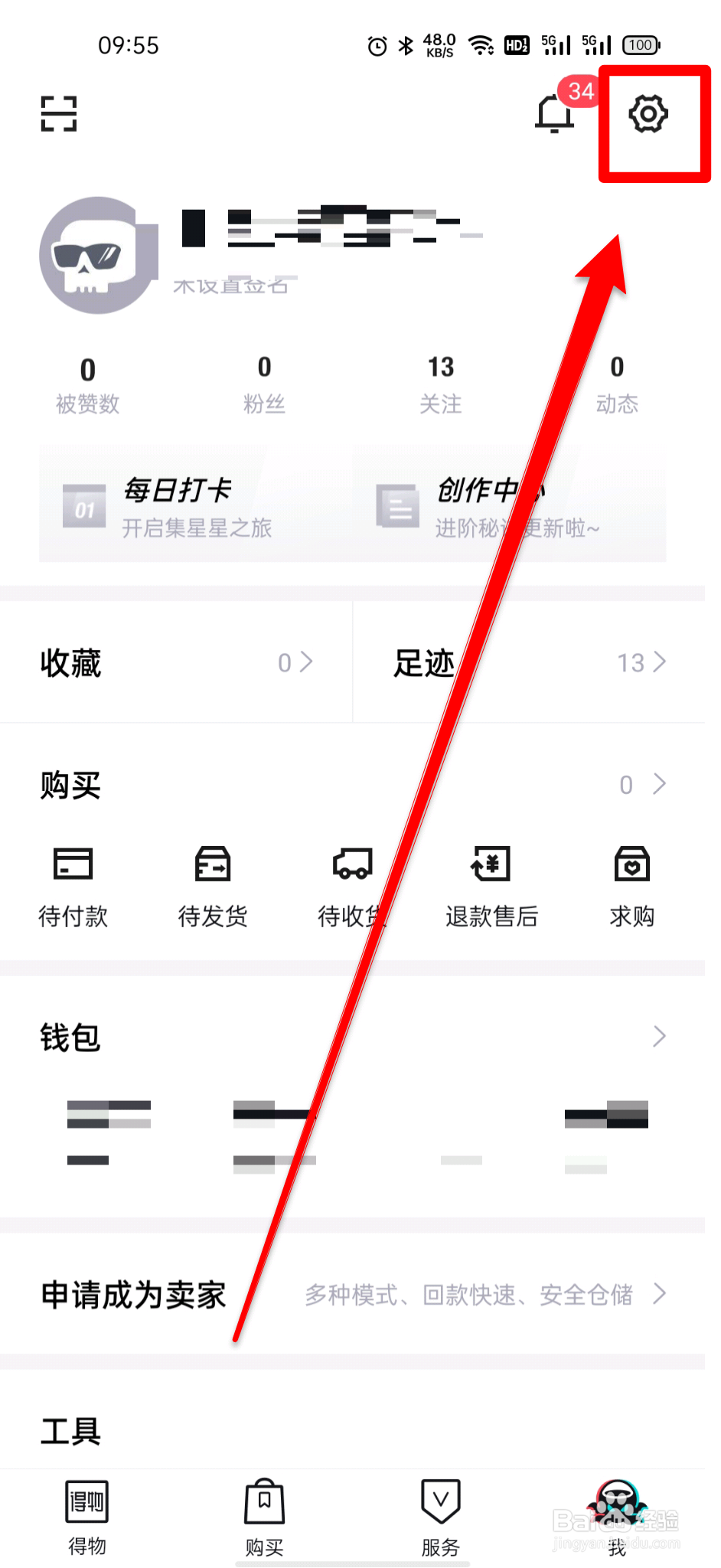
2、step2,点击右上角“设置”。如图所示:
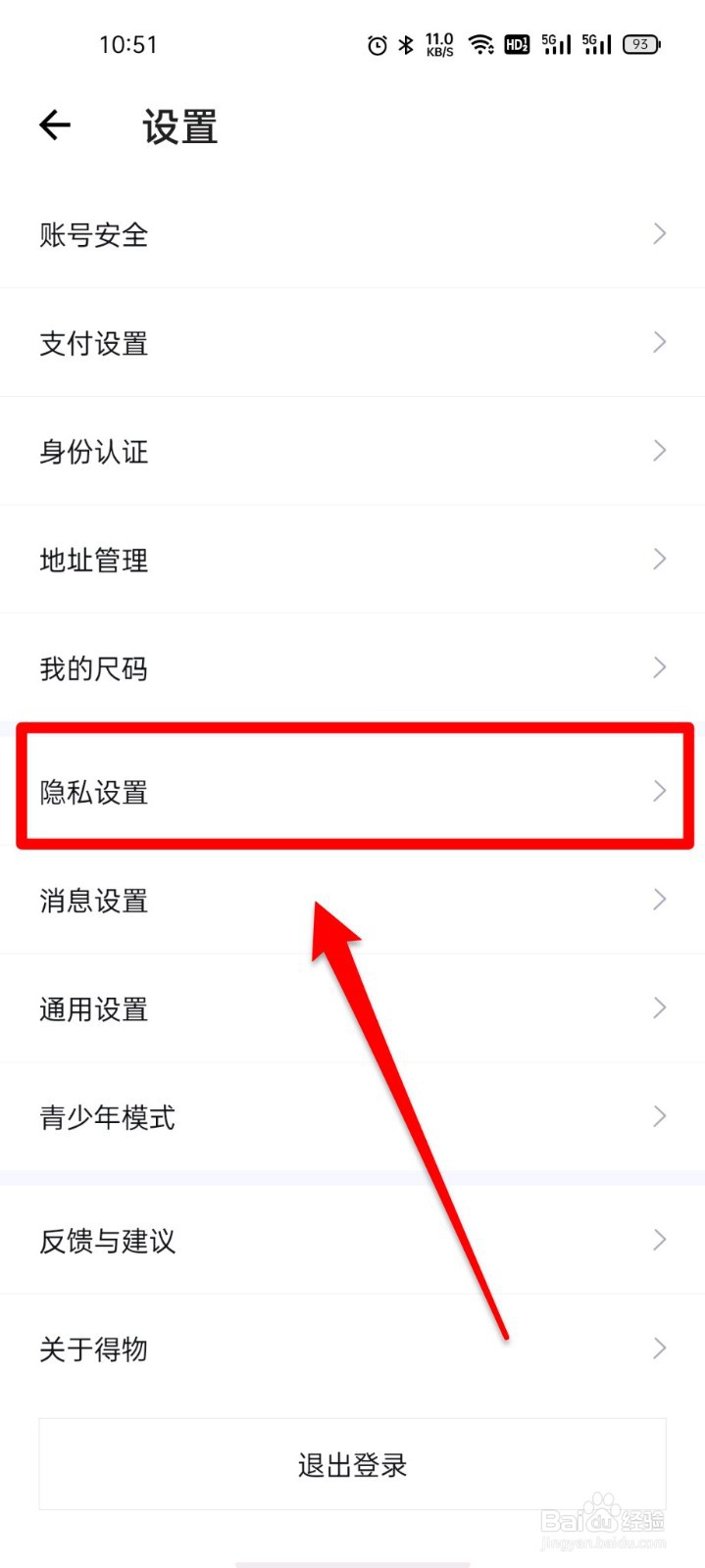
3、step3,点击“隐私设置”。如图所示:
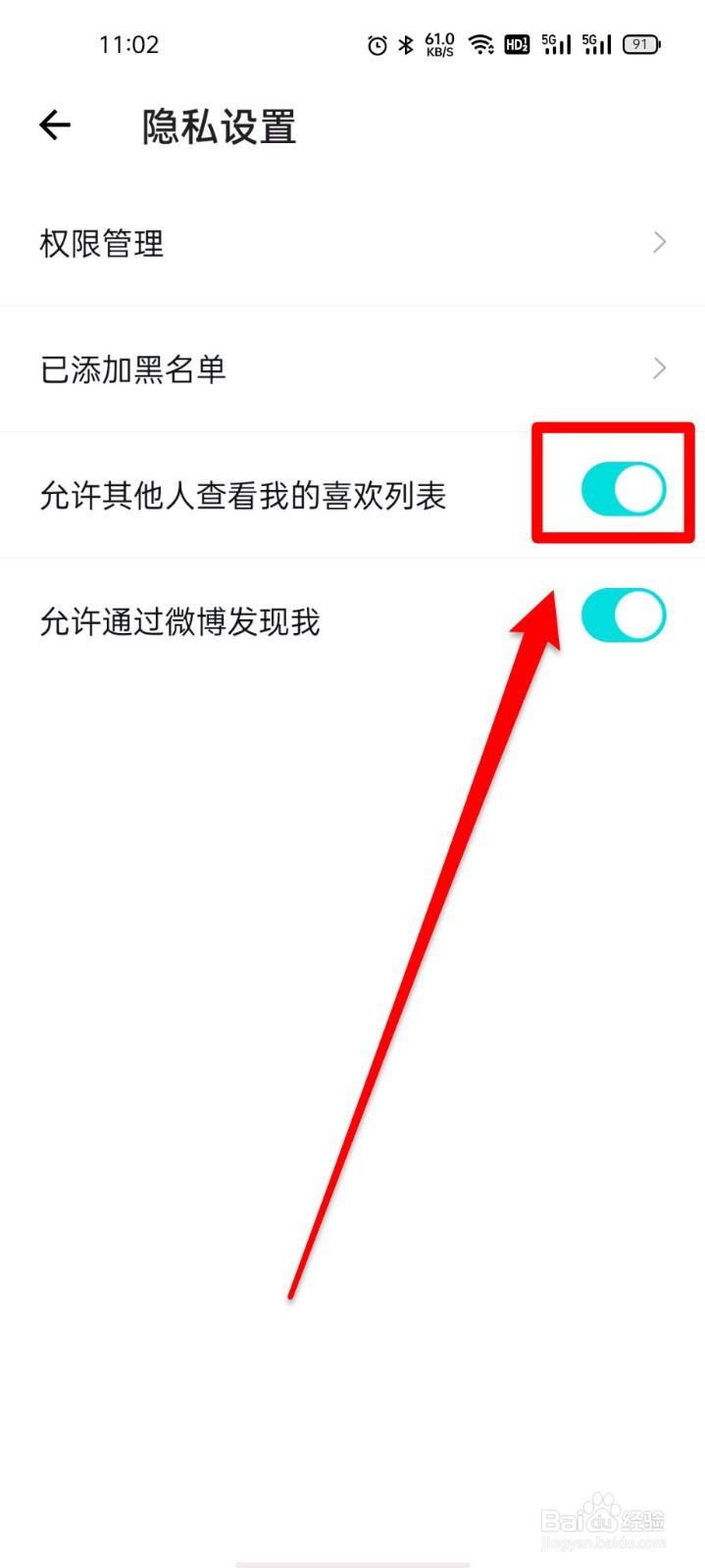
4、step4,点击关闭“允许其他人查看我的喜欢列表”后方选项即可。如图所示:
阅读量:140
阅读量:136
阅读量:59
阅读量:63
阅读量:166
1、ste,1,点击“我”。如图所示:
2、step2,点击右上角“设置”。如图所示:
3、step3,点击“隐私设置”。如图所示:
4、step4,点击关闭“允许其他人查看我的喜欢列表”后方选项即可。如图所示: