Eclipse中如何设置工作区的背景颜色
1、依次打开Eclipse中的“Window”菜单——“Preferences”子项。
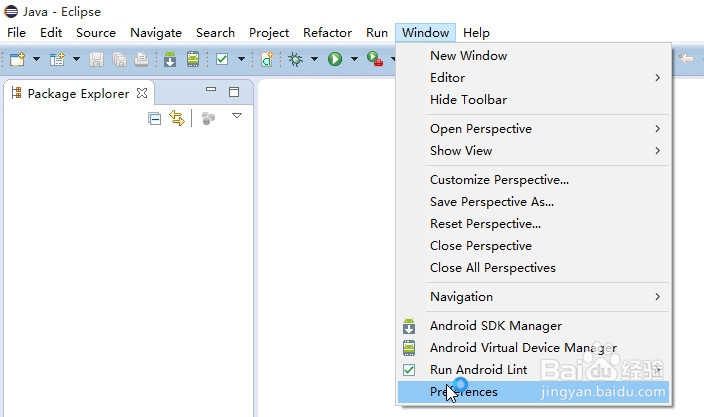
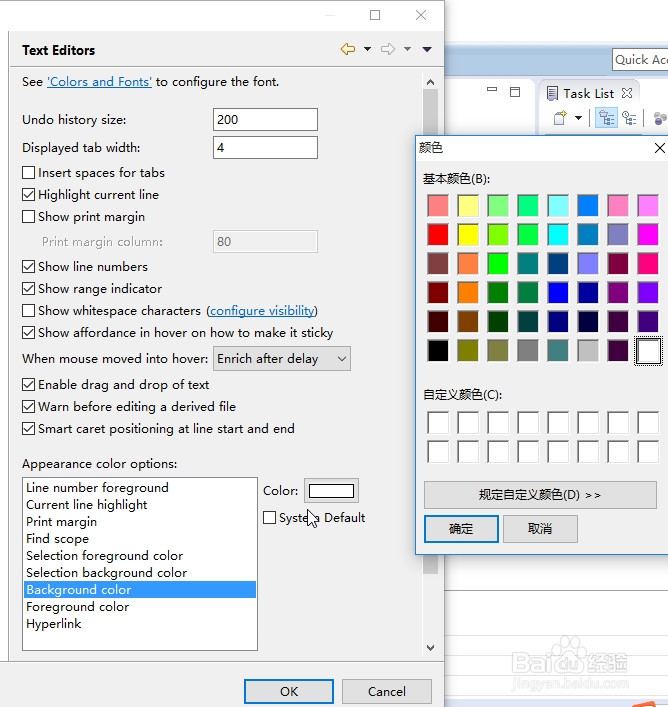
2、在“Preferences”窗体中依次打开选项“General”——”Editors”——”Text Editors”选项,最后打开Text Editors面板。

3、在Text Editors面板的”Appearance color options”中选择”Background color”,然后勾选掉右侧的”System default”复选框,点击”Color”按钮,弹出颜色设置框设置背景颜色。
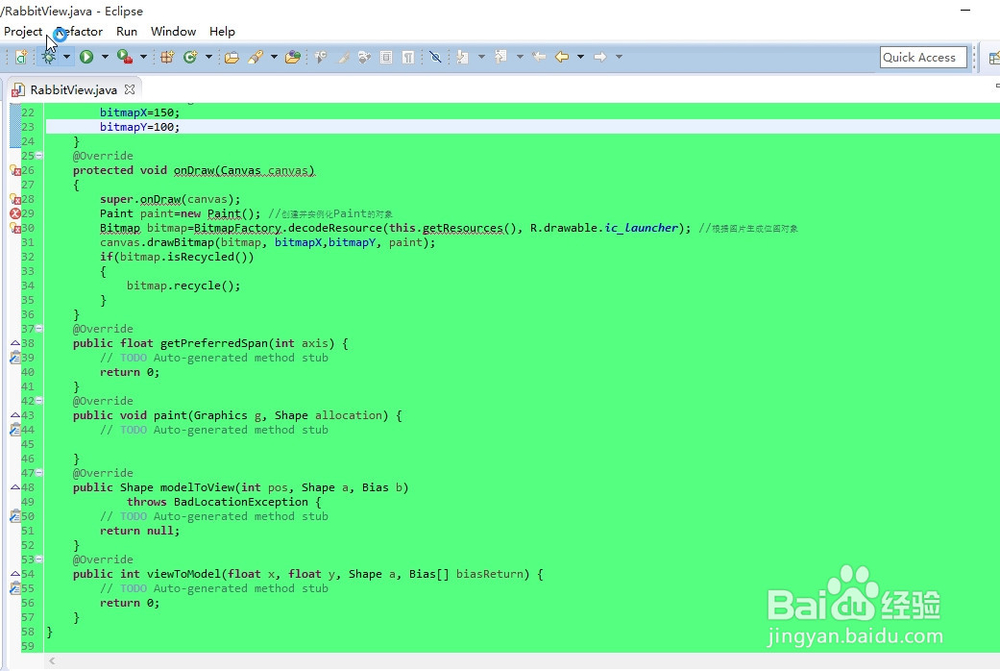
4、设置好的背景颜色如图所示。
阅读量:92
阅读量:167
阅读量:73
阅读量:27
阅读量:130